Overview
Remote Control lets me run my laptop from my phone. I type or say what I want, something like "download the schedule and put it in my Hackathon folder", and an AI works through it on the real screen with the mouse and keyboard while I watch each step from wherever I am.
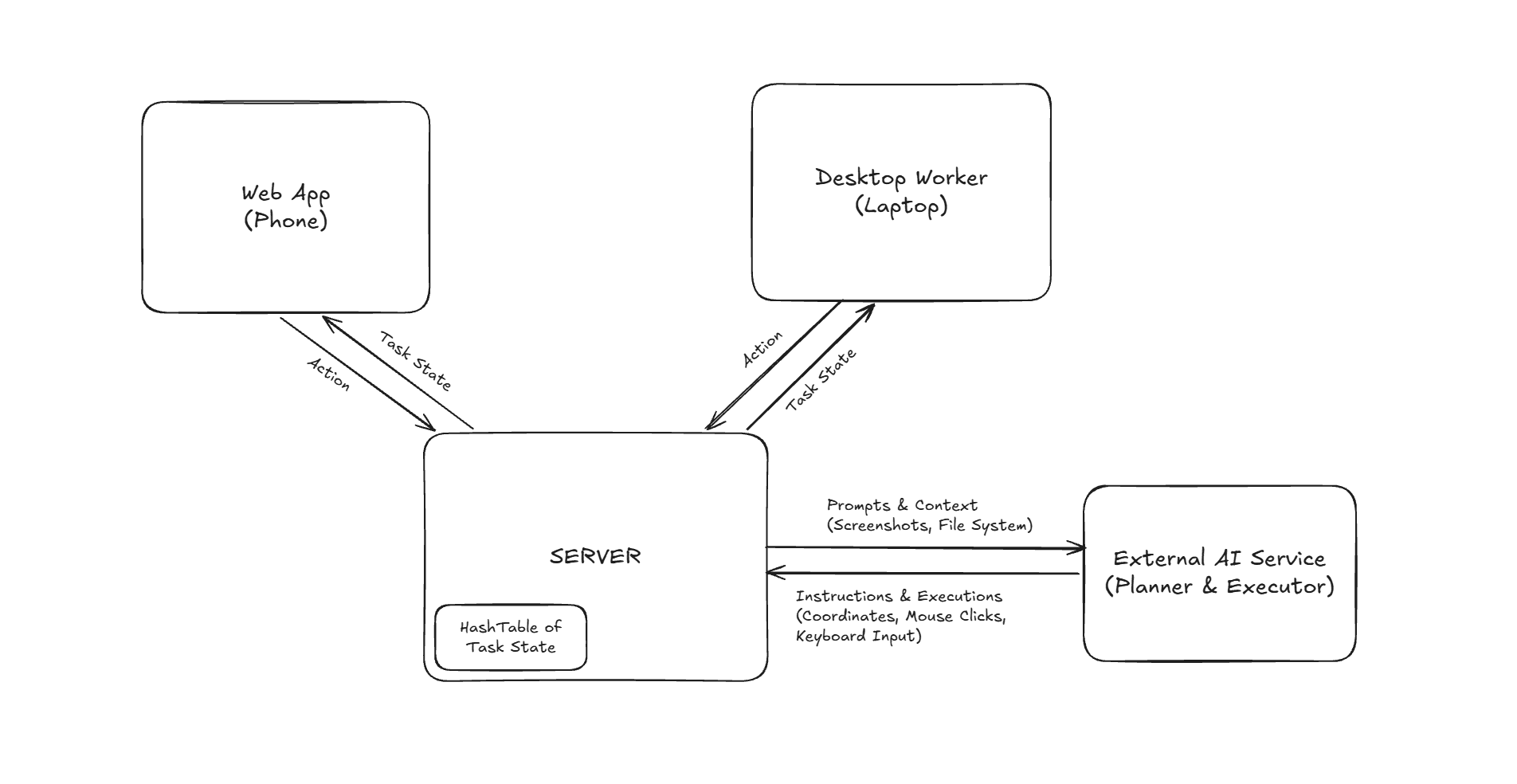
It has three pieces:
A web app on my phone, where I give tasks
A Go server that holds the state of the task and talks to the AI models
A small Windows program on the laptop that takes screenshots and carries out the clicks and keystrokes
It doesn't use any app-specific APIs. It uses the screen the way a person would.
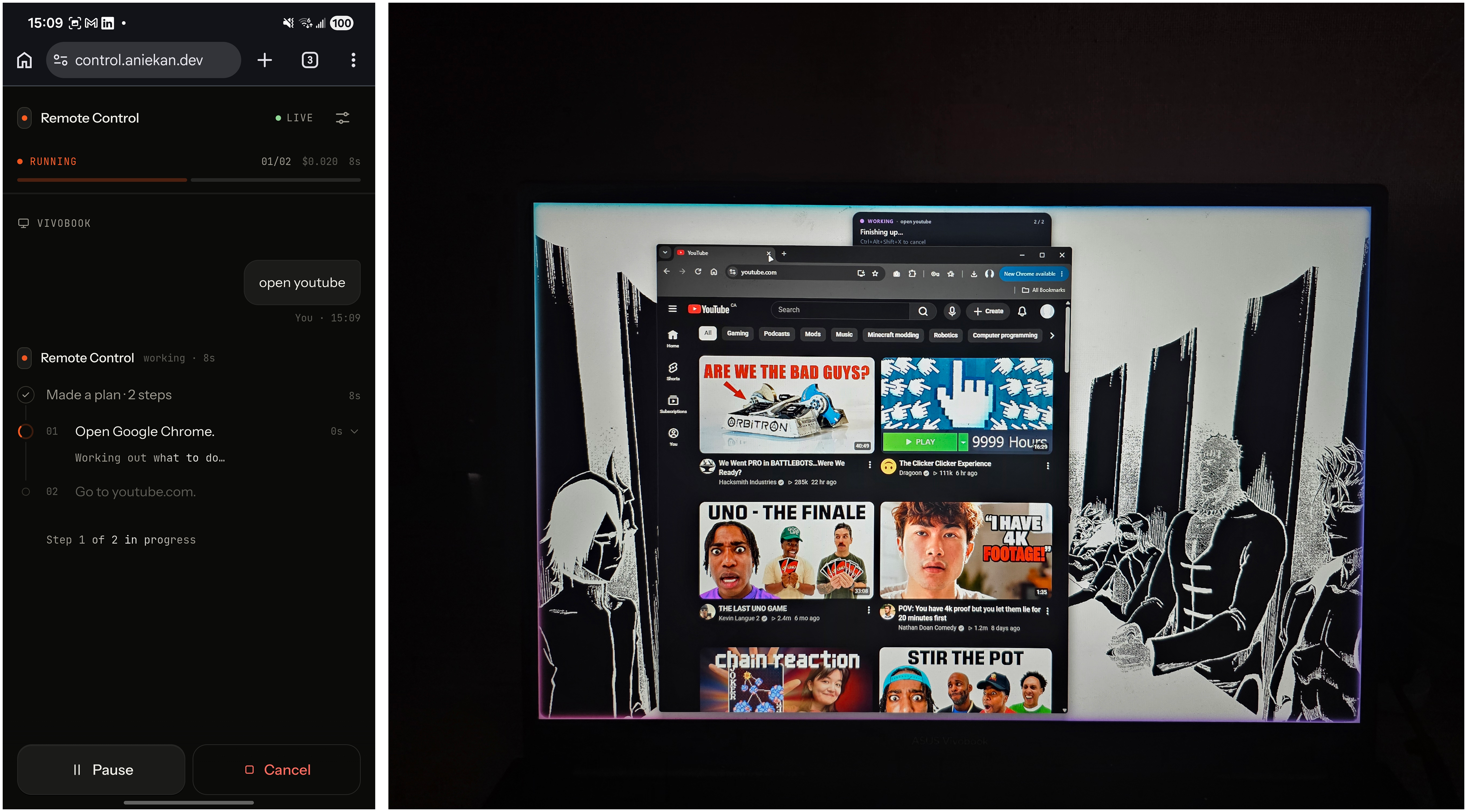
I built the first version in 24 hours for HackAtlantic Hackathon. It didn't win. I kept building it anyway, and now I use it most days.
Problem
I remember things at the worst times. I'm on the couch or halfway across campus and I realise I never sent that email or pulled that file off my laptop.
Remote desktop apps technically solve this, but steering a full desktop with a thumb on a phone screen is miserable. So I'd tell myself I'd do it when I got back to my desk, and then I'd forget.
I wanted to say the thing once and have it done.
Approach
Two models, two jobs
The planner looks at a screenshot and a short list of my file and folder names (never the contents) and breaks the request into small steps, each one a single change on screen.
The executor takes one step and a fresh screenshot and turns it into actual clicks and keystrokes. After every batch the worker waits for the screen to settle and sends back what it looks like now.
One source of truth
The server keeps one task object per computer and broadcasts the whole thing every time it changes. The phone and the laptop both work out what to do from that object alone, which made pause, resume and cancel almost free.
Nothing I can't take back
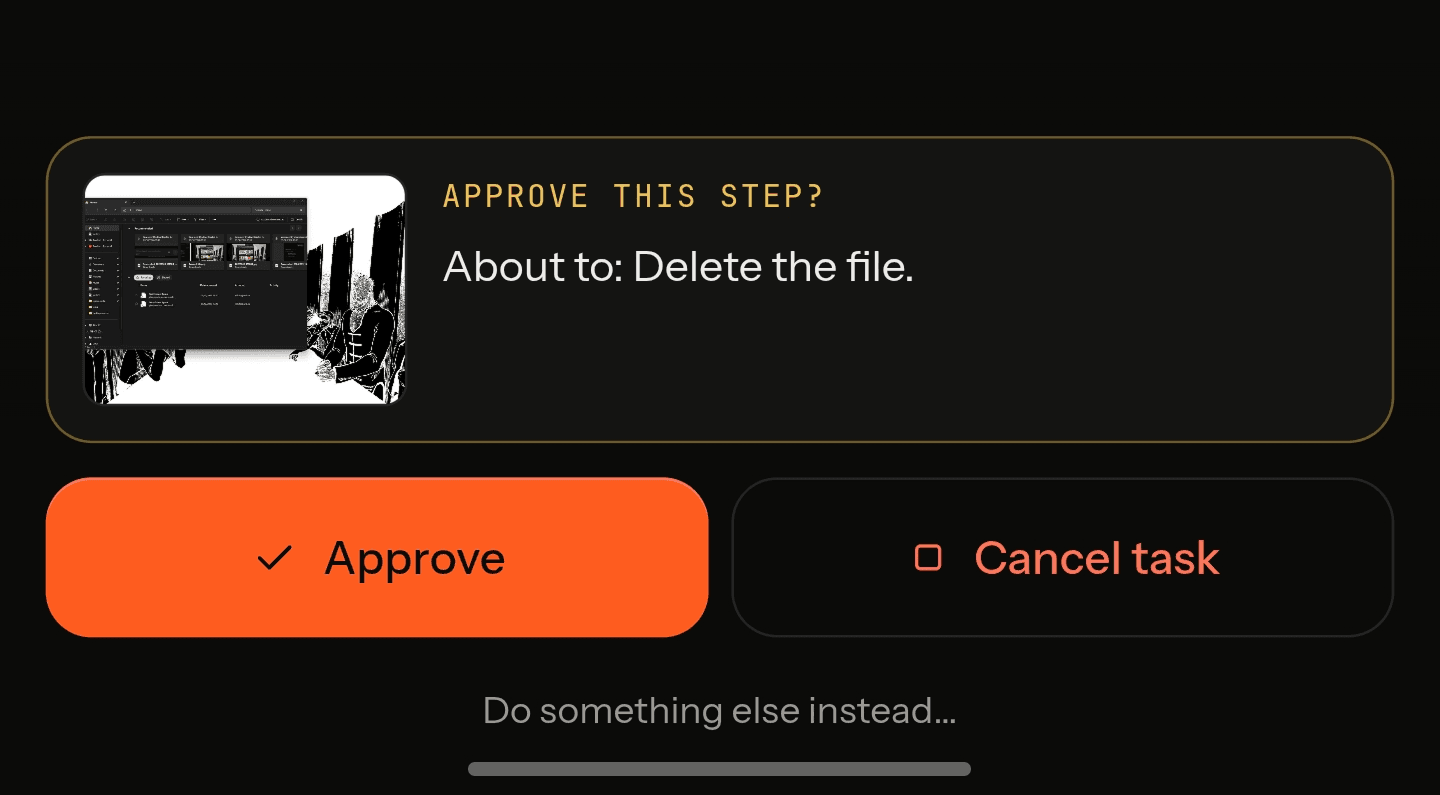
Steps like sending, deleting or paying wait for me to approve them on my phone, with a picture of the screen
Moving the mouse on the laptop pauses the task
Ctrl + Alt + Shift + Xkills it outright
Challenge
My original plan was for it to not check whether a step had worked. Two AI parts, trust both, no third thing to go wrong.
That held up until I ran real tasks. It would click one wrong thing and then confidently do every step after it wrong.
The fix was to make the executor judge the screen before it acts. It now picks one of four:
Do the step
Skip it, because it's already done
Ask for a new plan
Ask me
Then it takes one last look before a task is called finished. It's still two models, but neither is trusted blindly.
Two smaller ones nearly got me as well:
Cost: The early version spent about $6 of API credit in a single day. That pushed me into shrinking screenshots, trimming the file list and capping what one task can spend.
Coordinates: The models don't agree on what a coordinate is. Some answer in pixels, one answers on a 0 to 1000 grid, and Windows display scaling sits on top of both. For a while clicks landed a few centimetres from where they should.
What I Learnt
The shortcut I took to save time cost me the most time. Skipping verification made the demo simple and the product unusable.
Pure logic is worth the effort. The server's state machine takes a task and an event and returns the next task, with no network calls inside it. That meant I could test it properly instead of watching my laptop click the wrong thing over and over.
An AI agent is mostly not AI. Most of the code deals with a page that hasn't loaded yet, a message that arrived twice, or a step like "send" that must never run a second time.
In The End
It didn't win. I kept going anyway.
In the two days after the hackathon I rebuilt most of the reliability work and tagged it v2. It runs on my laptop all the time now and I use it most days, usually for doing assignments in a crunch.
Anyone can sign in, add their own OpenRouter key and link their own computer.
What's Next
The obvious gaps:
Windows only
One computer per account
Main monitor only
The harder one is long tasks. Short ones are reliable now, but accuracy drops as the step count goes up. I've built a small set of everyday tasks I can re-run to measure whether a change actually helped, and that's what I'll use to push it further.